The book becomes the lesson.
Turn the books they love into vocabulary that lasts.
Choose any English EPUB, or find a free public-domain book with the built-in Project Gutenberg search. The app finds useful words in authentic passages, creates personalized exercises, and schedules each word for later review based on the reader's practice history.
The trial begins with The Wind in the Willows and does not require a credit card.
Begin with the book they are reading.
Upload an English EPUB you have the right to use, or search Project Gutenberg without leaving the app. Its public-domain books can be added directly.
Your EPUBA book already on your device
Project GutenbergFree public-domain books, built in
We built it for our own kids.
We wanted vocabulary practice to deepen comprehension of the books our kids were already reading—and help important words remain available long after the chapter ended. So the app begins with their reading, then builds the practice around it.
From book to focused practice
The app does more than find unfamiliar words. It looks for words worth learning and passages that can actually teach them.
-
1
Scan the book
Candidate words come from the book itself, with their exact source passages preserved.
-
2
Find useful vocabulary
The selection weighs reading difficulty, frequency, how broadly a word appears across English, and whether its word parts can transfer to future reading.
-
3
Check the passage
Names, already-mastered words, ambiguous senses, idiomatic uses, and passages with weak clues are skipped. If an authentic source span cannot be recovered, the word is skipped too.
-
4
Build the lesson
A manageable mix of new words and due reviews keeps the work challenging without becoming discouraging.
Meaning begins in context.
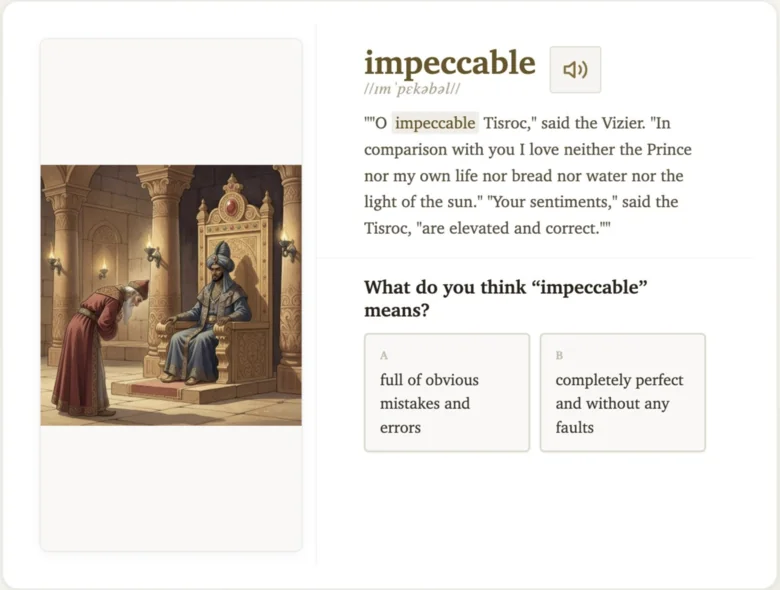
Exercises keep the word connected to the passage where it appeared. A clear definition supports the first encounter, and a speaker button lets the reader hear the word. Words from an added book have saved pronunciation audio ready before the lesson begins; the built-in trial can use the browser’s voice instead. Written IPA is not displayed.
Some meaning exercises include a generated illustration as an extra clue. Illustrations are optional, and lessons continue when an image is not available.
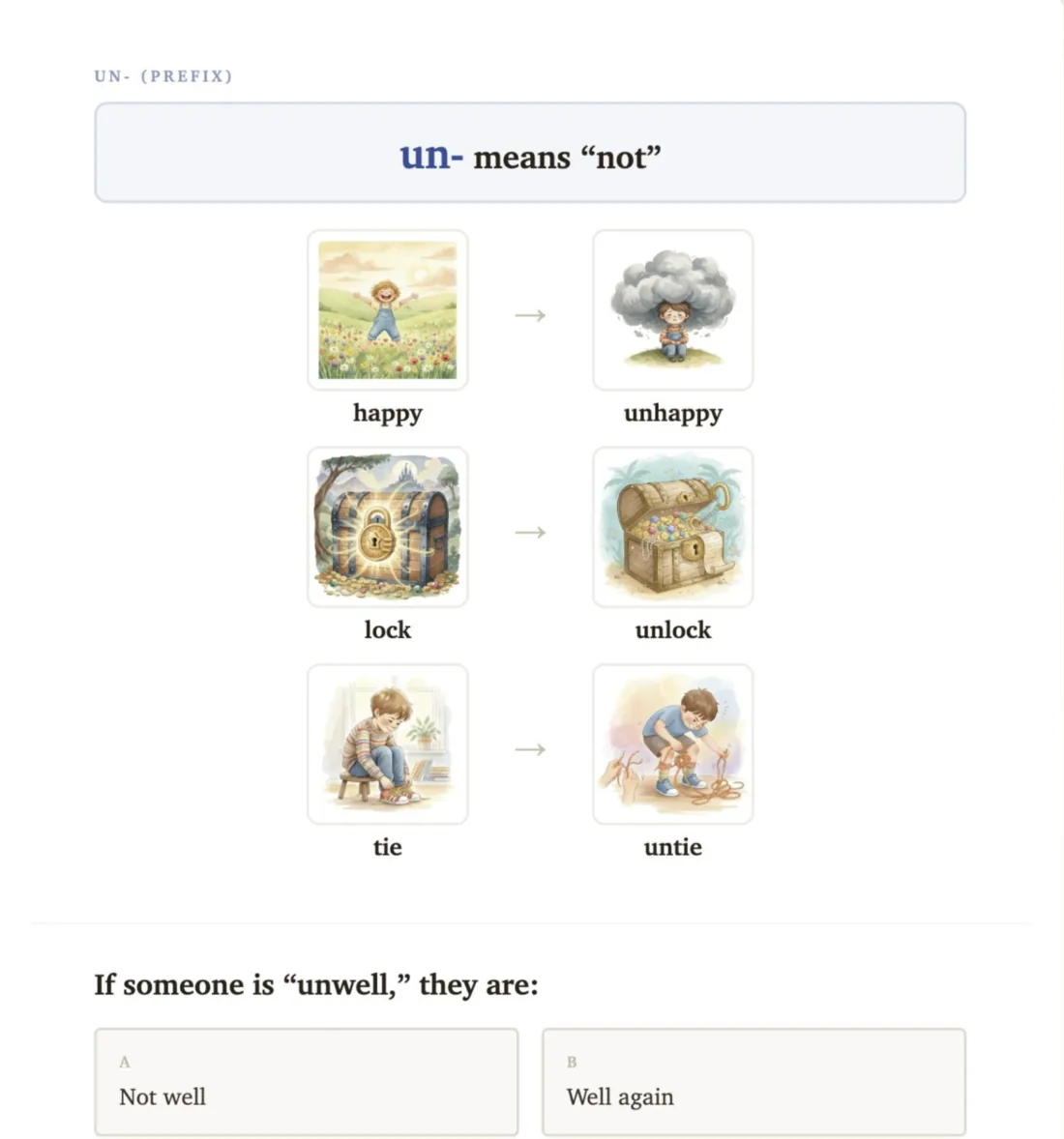
The work changes as the word becomes familiar.
A first encounter may ask for recognition. Later reviews can require the reader to use context, spell the word, work with prefixes, roots, and suffixes, or rebuild the word in a letter Jumble.
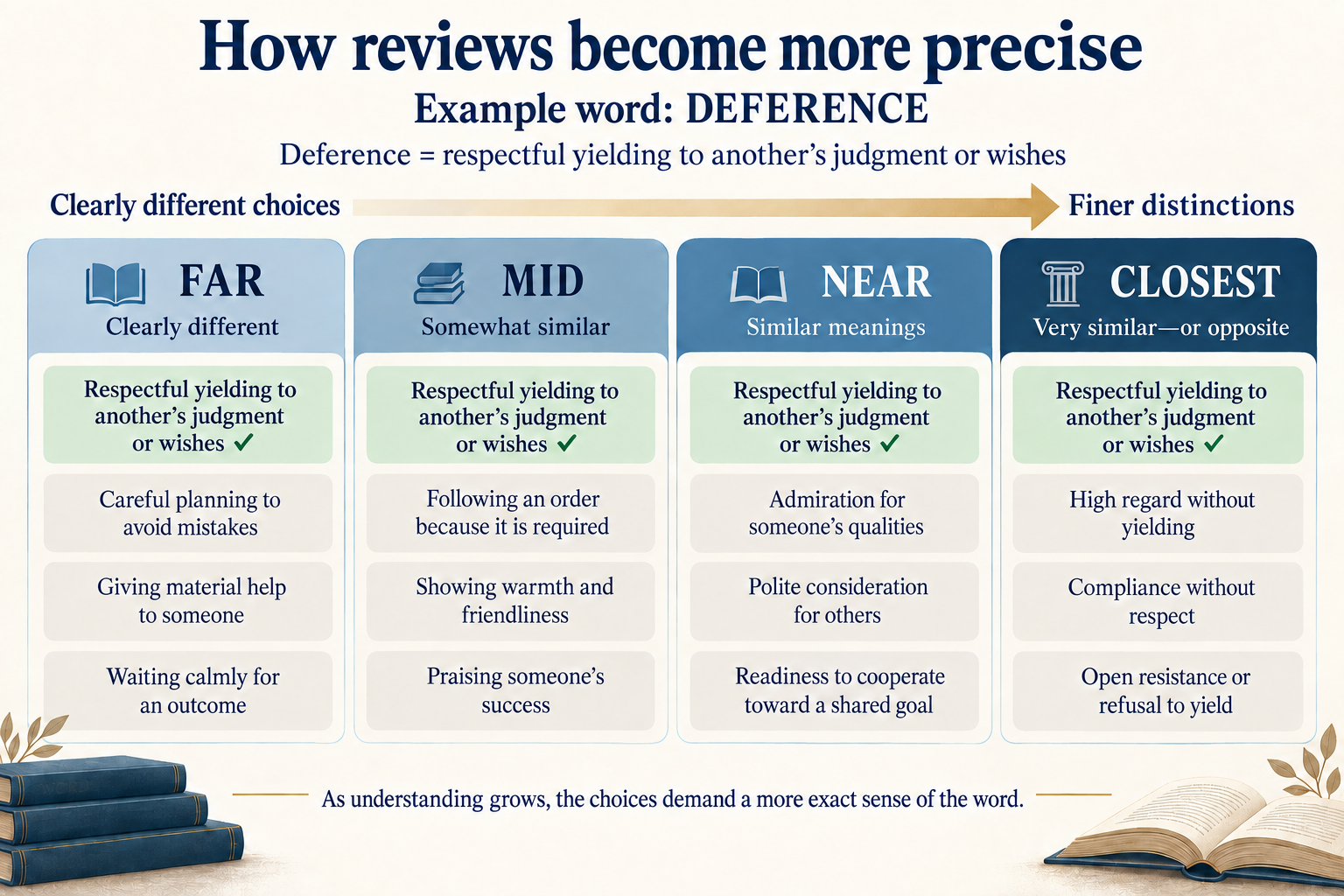
Reviews become more precise over time.
At first, a wrong answer may be obviously different. Later, the alternatives move closer to the correct meaning, so the reader has to understand the word’s exact sense—not just recognize its general neighborhood.
The example below uses deference to show that progression from far-apart choices to the closest distinctions.
Keep practice in the learning sweet spot.
The aim is roughly 80–90% correct: enough success to sustain momentum, with enough difficulty to require real thought. The app adjusts which words appear, how much help a card gives, and how demanding the answer must be.
Target: about 80–90% correct
Return to a word when the review will matter.
Memory strengthens when recall is effortful but still possible. The app uses spaced retrieval: successful answers let a word wait longer, while difficult answers bring it back sooner and with appropriate support.
Each lesson balances those reviews with a manageable number of new words, so practice stays focused instead of becoming a backlog.
- LearnMeet the word in its passage
- SoonRetrieve it with support
- LaterWork harder for the answer
- LongerKeep it available over time
Research guides what we build next.
We keep a working collection of vocabulary, reading, and memory research. We look first for findings with strong effects that have held up across studies, then ask whether they fit this product and can become useful practice. That collection helps us decide what to add, what to test, and what not to prioritize.
One plan, all features.
$19.99/month, per student
The 14-day free trial does not require a credit card. Subscribe to continue and add your own books; cancel anytime.
See full pricingA few practical questions
Who is it for?
Independent readers, including advanced younger readers and older readers who need more support. Reading ability matters more than a birthday; the app is designed for roughly ages 6–20.
Can I use any book?
You can upload an English EPUB you legally have the right to use. You can also search Project Gutenberg inside the app and add one of its free public-domain EPUBs. PDFs and DRM-protected files are not supported.
How are words chosen?
The app looks for useful, age-appropriate vocabulary using reading difficulty, frequency, contextual diversity, word-part value, and the quality of the exact passage. It rejects idiomatic or ambiguous uses that would teach the wrong thing.
What happens during the trial?
The reader gets 14 days of lessons and review using The Wind in the Willows, without a credit card. A subscription unlocks adding other books afterward.
Start with one book and see how the practice feels.
Try 14 days with The Wind in the Willows, without entering a credit card.
Start free trial